 Waqqitha Smart
Scheduled SMS that sends itself
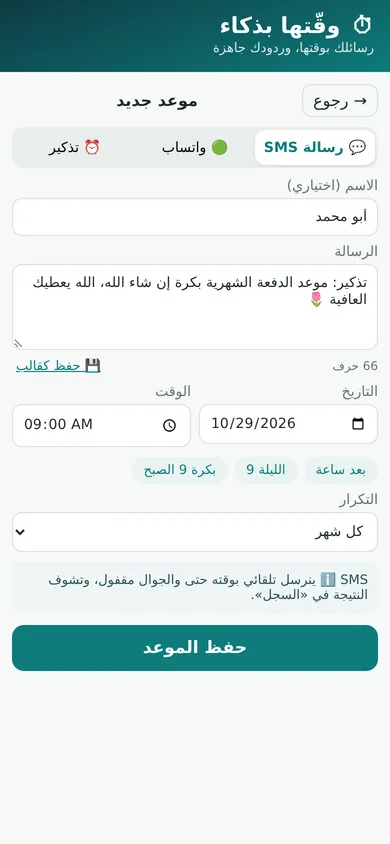
Pick the message and the time; it goes out from your SIM on schedule, even with the screen locked, and the result shows in the log.
Fully automaticSchedule SMS, WhatsApp messages and reminders, with smart auto-reply. Write it once and let it go out on time.
For people and shops: greetings, payment reminders, appointments and ready replies to your customers.
Pick the message and the time; it goes out from your SIM on schedule, even with the screen locked, and the result shows in the log.
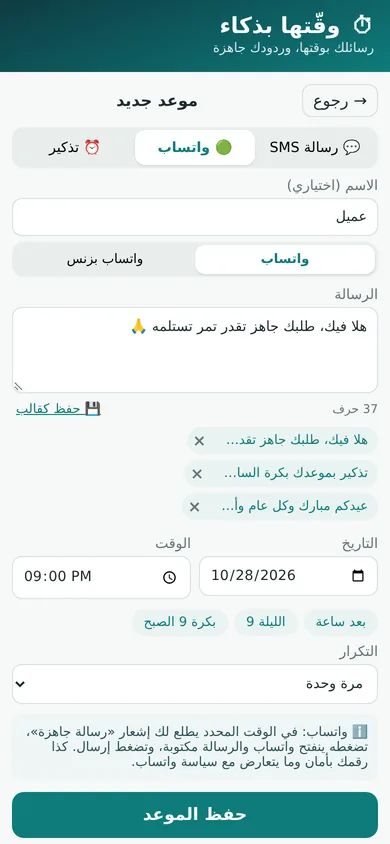
Fully automaticAt the set time you get a notification with the message ready. Tap it, WhatsApp opens with the text filled in, and you press send. Your number stays safe and within WhatsApp’s rules.
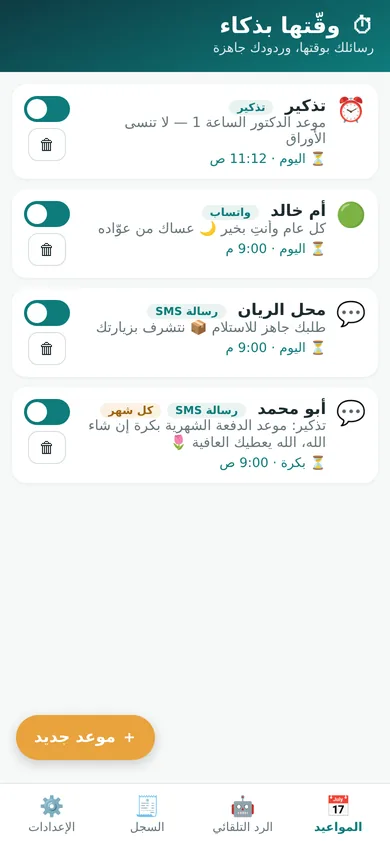
WhatsApp & WhatsApp BusinessReminders for the doctor or the rent, and repeat anything daily, weekly, monthly or yearly.
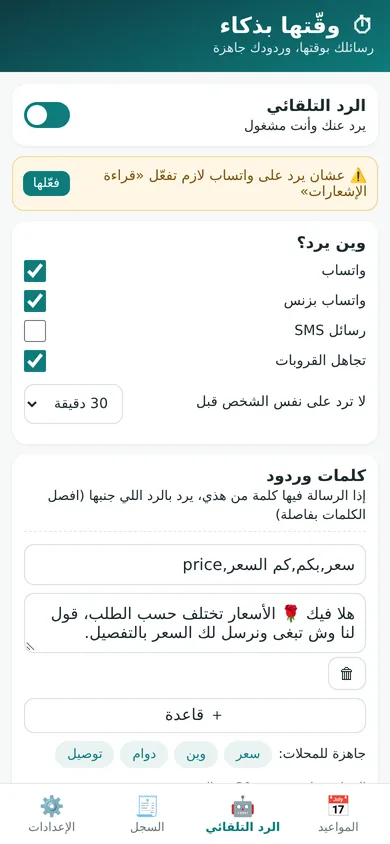
Replies for you on SMS and WhatsApp while you’re busy: keyword rules (price, location, hours…), a default reply, skip groups, and a cooldown before it answers the same person again.
Great for shopsSave the messages you send often and reuse them in one tap: "your order is ready", appointment reminders, holiday greetings.
A fully Arabic interface with clear numbers. Everything runs on your phone without internet, and your data stays on your phone.
Real screens from the app (sample names).
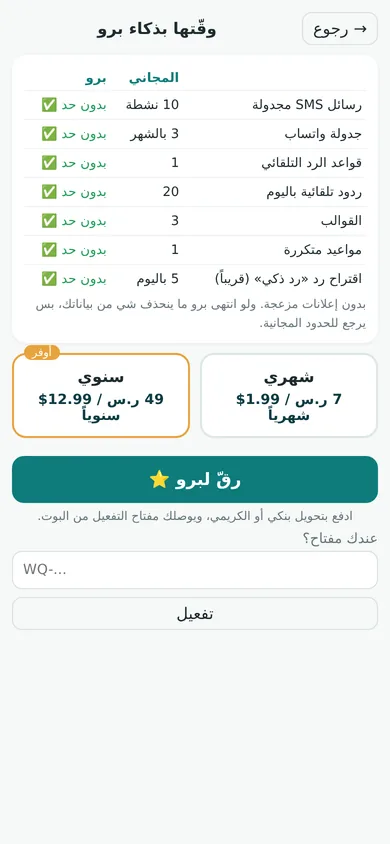
No ads. If Pro ends nothing is deleted; you’re back on the free limits.
Pay by bank transfer or Kuraimi. No cards needed.
Five simple steps, all on Telegram.
No, honestly: WhatsApp doesn’t let apps send on your behalf. At the set time you get a notification with the message ready; tap it and press send. That’s one tap. SMS is the part that sends fully automatically. WhatsApp auto-reply works from the notification itself once you enable notification access.
No. Scheduling, sending, reminders and auto-reply all work offline. You only need internet to sign in, activate Pro and download updates. SMS goes out from your SIM at your usual carrier rate.
For now it’s Android only (Android 7 or newer). Scheduled SMS and auto-reply need permissions that iPhone doesn’t give to apps.
Inside the app: when a new version is out you get a notice, tap update, and it installs over the old one with your data kept.
Nothing is deleted. Schedules above the free limits pause and stay saved, and they resume as soon as you renew.
The app is new, so for now it’s offered as an APK from this official website. The steps are simple and shown on the download page.